
Zipic
AI-ready image compression on Mac and Windows (Windows beta), 100% offline
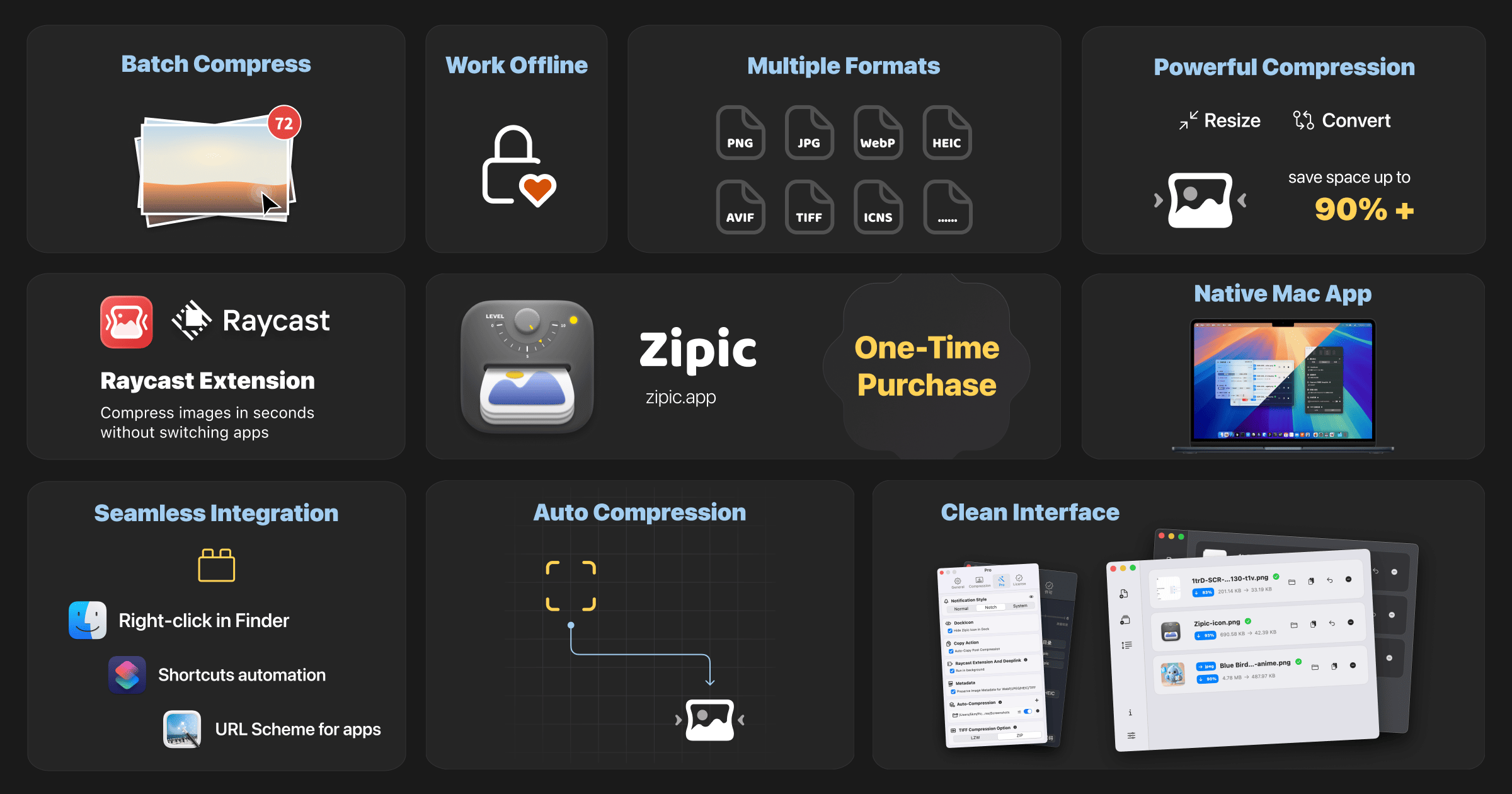
Zipic is a powerful image processing tool designed for both Mac and Windows users, enabling them to compress, convert, and resize images effortlessly. Whether you're a professional photographer, a graphic designer, or simply someone who wants to manage their image files more effectively, Zipic offers a comprehensive solution that meets your needs. With its user-friendly interface and robust functionality, Zipic makes image processing a breeze.
Features
- Local Processing: Unlike many online tools, Zipic processes images locally on your device, ensuring your files remain private and secure.
- Batch Processing: Save time by processing multiple images at once. Zipic allows you to select a batch of files and apply your desired changes in one go.
- Multiple Format Support: Zipic supports a variety of image formats including JPEG, PNG, WebP, HEIC, and more, making it versatile for all your image needs.
- Easy-to-Use Interface: The intuitive design of Zipic makes it accessible for users of all skill levels, allowing anyone to start processing images without a steep learning curve.
- Customizable Settings: Adjust compression levels, resize dimensions, and choose output formats to suit your specific requirements.
Use Cases
For Individuals
Individuals can benefit from Zipic by managing their personal photo collections more efficiently. Whether you want to reduce the file size of images for sharing on social media or need to convert images for specific uses, Zipic provides the tools necessary to enhance your digital experience. Its batch processing feature is particularly useful for quickly preparing multiple images for upload or storage.
For Professionals
Photographers and graphic designers will find Zipic invaluable for optimizing their workflow. The ability to compress high-resolution images without sacrificing quality is essential for maintaining a professional portfolio. Additionally, the format conversion feature allows for seamless integration with various platforms and software, ensuring that your images are always in the right format for your projects.
Benefits
- Enhanced Performance: By compressing images, you can significantly improve the loading times of websites and applications, enhancing user experience.
- Cost-Effective: Zipic eliminates the need for expensive online subscriptions or services, providing a one-time solution for all your image processing needs.
- Privacy and Security: Processing images locally means that your files are not uploaded to the cloud, protecting your privacy and sensitive information.
- Increased Productivity: With batch processing and customizable settings, Zipic streamlines the image processing workflow, allowing you to focus on your creative work rather than tedious tasks.
Conclusion
In conclusion, Zipic is a robust image processing tool that caters to the needs of both casual users and professionals. With its local processing capabilities, batch processing features, and support for multiple formats, Zipic stands out as a comprehensive solution for anyone looking to manage their images effectively. Whether you are looking to compress, convert, or resize images, Zipic provides the tools necessary to enhance your digital workflow.